

Download PDF Download – Secure PDF handling for Firefox
Overview
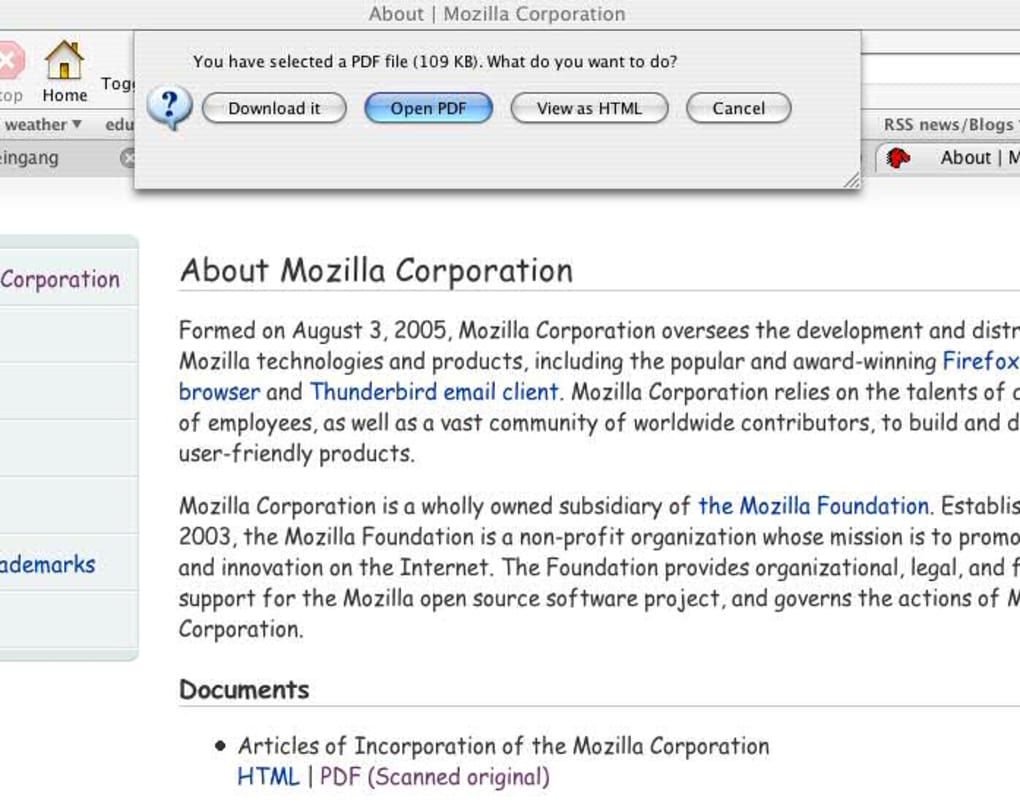
PDF Download is a lightweight Firefox add‑on that puts the power of PDF handling back in the user’s hands. Instead of letting the browser decide whether a document should open, convert, or download, PDF Download presents a clear choice every time a PDF is encountered. This approach eliminates the frustrating “blank page” moments and reduces the risk of browser crashes caused by large or malformed files.
The plug‑in detects the file size instantly, so you know whether to open it directly, save it for later, or convert it to an HTML preview. While Adobe Reader remains the default viewer for many, PDF Download works seamlessly with alternative readers such as Foxit, SumatraPDF, and even browser‑based viewers, making it a versatile tool for every workflow. Its design focuses on speed, security, and flexibility, ensuring that even massive PDFs load quickly without bogging down Firefox.
By giving you control over each file, PDF Download turns a common annoyance into a predictable, streamlined experience. Whether you are a student downloading research papers, a professional handling lengthy reports, or a casual user browsing the web, this add‑on offers a reliable, free solution that respects your time and system resources.
Features and Usage
Key Capabilities
- Three‑option prompt: Open in‑browser, download, or convert to HTML.
- Instant file‑size detection with visual indicator.
- Full compatibility with Adobe Reader, Foxit Reader, SumatraPDF, and other PDF applications.
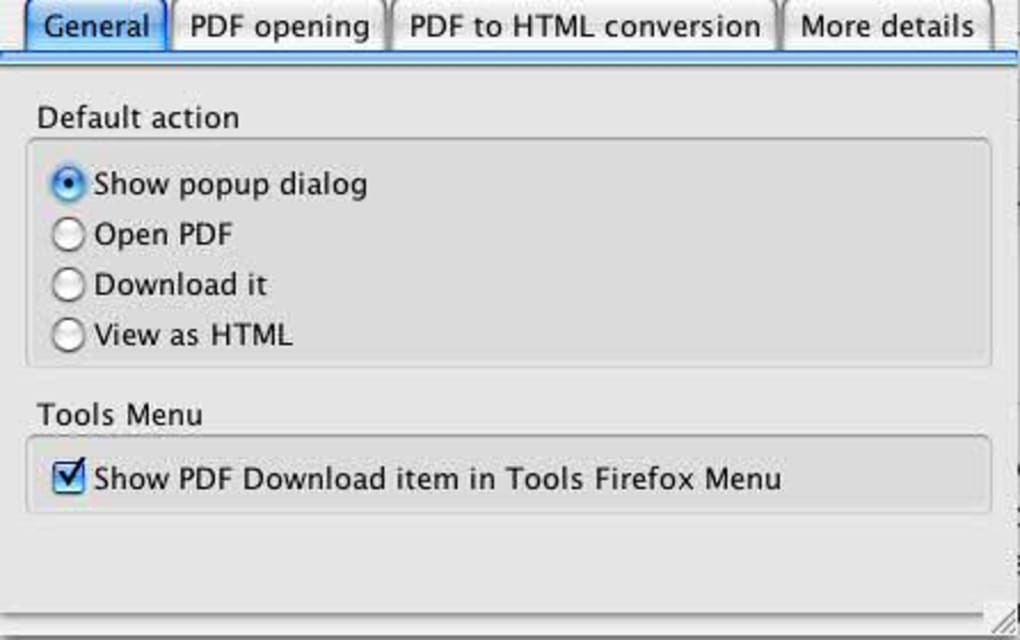
- Customizable default action to suit personal workflow.
- Secure handling of PDFs to prevent malicious script execution.
- Automatic updates through Firefox’s add‑on manager.
Installation & Usage Instructions
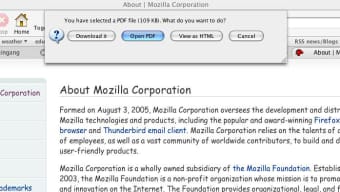
Installing PDF Download is straightforward. Open Firefox, navigate to the official Mozilla Add‑Ons page, and click “Add to Firefox.” After a quick permission review, the add‑on appears as a small icon next to the address bar. The first time you encounter a PDF, a dialog box will display the file’s size (e.g., “2.3 MB”) and present the three action buttons.
Choose “Open” to view it instantly, “Download” to save it for offline reading, or “Convert to HTML” for a fast, searchable preview. If you prefer a single default behavior, open the add‑on’s options page (accessible via the icon) and set your preferred action. The interface also lets you map specific PDF readers to particular file types, ensuring that a document opens in Foxit when you select “Open.” Updates are handled automatically, keeping the add‑on secure and compatible with the latest Firefox releases.
The entire process—from installation to first use—takes less than two minutes, and the intuitive prompts require no technical expertise.
Compatibility, Pros & Cons
Supported Operating Systems
PDF Download runs on any platform that supports the latest Firefox releases, including Windows 10/11, macOS 10.15+ (Catalina, Big Sur, Monterey, Ventura), Linux distributions with Firefox, and even Firefox for Android when used on compatible tablets. Because it is an extension rather than a standalone program, there is no separate installer for iOS; however, Firefox for iOS users benefit from the same PDF handling logic when the add‑on is synced across devices via a Firefox account.
Pros
- Prevents unexpected browser crashes caused by large PDFs.
- Gives immediate visibility of file size, helping users decide the best action.
- Works with multiple PDF readers, not just Adobe.
- Free, open‑source, and receives regular security updates.
- Lightweight footprint; does not slow down page loading.
Cons
- When the “Open in browser” option is selected for very large PDFs, Firefox may still experience a short delay.
- Conversion to HTML is basic and may not preserve complex layouts.
- Not available for the iOS version of Firefox as a native add‑on.
PDF Download delivers exactly what its name promises—a reliable, user‑controlled way to manage PDFs in Firefox. While the add‑on does not eliminate every crash scenario, its proactive prompts and compatibility with popular PDF readers make it a must‑have for power users. The free price point and seamless updates further enhance its value.
FAQ and Conclusion
Can I set a permanent default action for PDFs?
Yes. Open the PDF Download options page from the toolbar icon and choose your preferred default (open, download, or convert). The add‑on will then apply this action automatically to all future PDFs.
Does PDF Download work with PDF files hosted on secure (HTTPS) sites?
Absolutely. The extension respects the security of HTTPS connections and processes the file size before any content is rendered, ensuring a safe and private experience.
Is the add‑on compatible with Firefox ESR (Extended Support Release) versions?
Yes, PDF Download is tested against the latest ESR releases and receives updates in sync with the standard Firefox channel.
Can I use PDF Download on Linux distributions?
Linux users can install the extension from the Mozilla Add‑Ons store just like Windows or macOS users. It works with any Firefox build that supports WebExtensions.
What happens if I click “Convert to HTML” on a password‑protected PDF?
The conversion process will prompt you for the password. If the correct password is entered, the document is rendered as an HTML preview; otherwise, the conversion is aborted to protect the file’s integrity.
Conclusion & Call to Action
PDF Download fills a genuine gap in Firefox’s PDF workflow by offering clear, user‑driven choices that keep the browser stable and your reading experience smooth. Its free, open‑source nature, combined with support for multiple operating systems and PDF readers, makes it an essential utility for anyone who regularly handles documents online. Install PDF Download today from the official Mozilla Add‑Ons page, configure your preferred default, and say goodbye to unexpected crashes and endless loading screens. Take control of every PDF you encounter—download, open, or convert with confidence.







